
Z-Image Turbo
AlibabaImagesz-image-turbo
Alibaba's small, very fast text-to-image model. The cheapest way to make a decent picture from a prompt, in English or Chinese.
Examples
Made with Z-Image Turbo through OpenCheap's API, as they came back. Under each: what was asked, the settings and what the call cost.
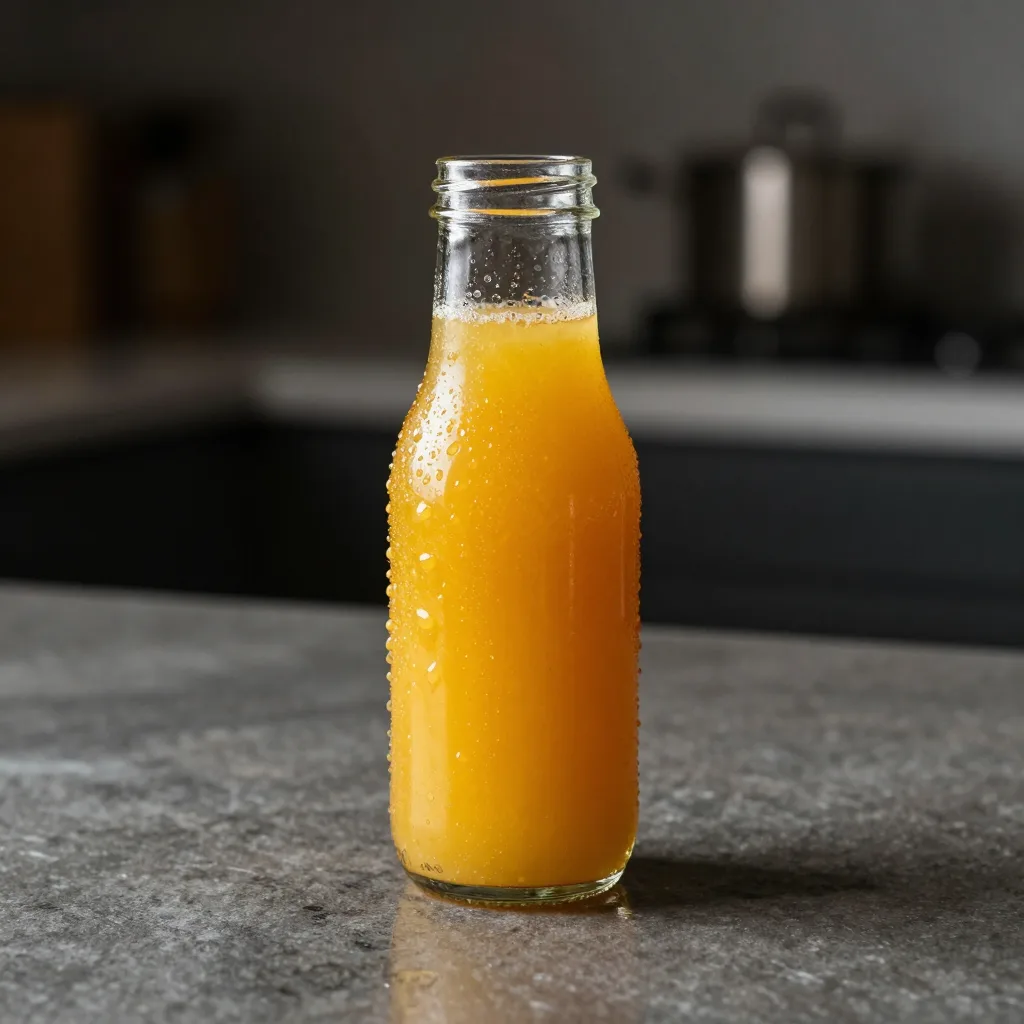
“A glass bottle of cold-pressed orange juice on a wet stone counter, condensation drops, soft studio light, shallow depth of field, product photo”
Cost $0.004
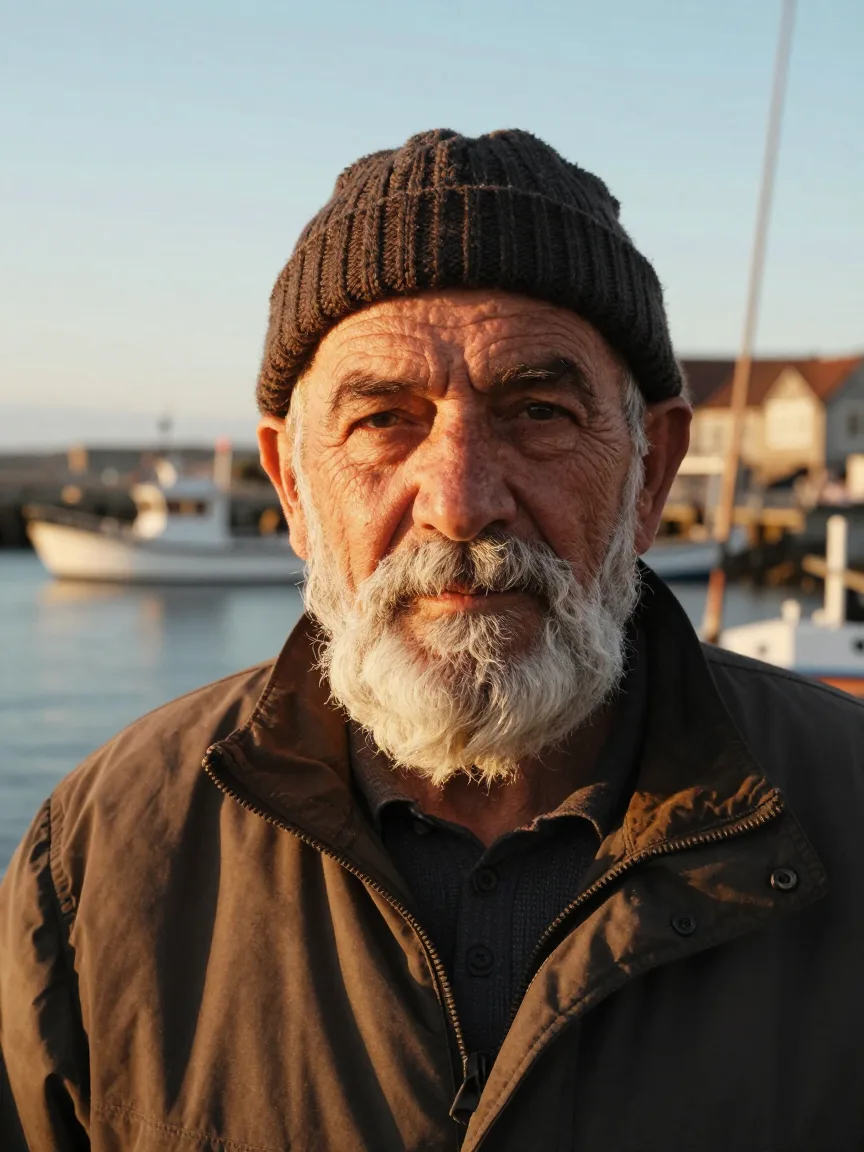
“Portrait of an old fisherman with a white beard and a knitted cap at golden hour on a harbour, 85 mm photo, detailed skin”
Cost $0.004
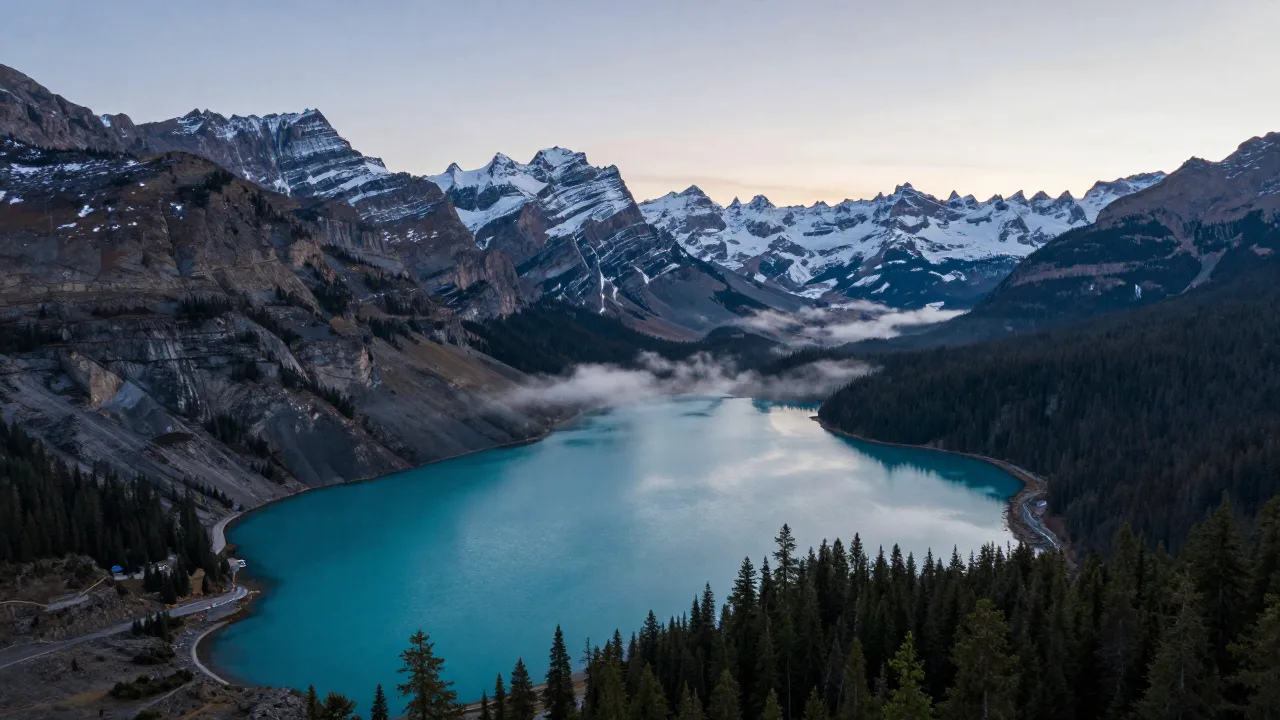
“Aerial view of a turquoise alpine lake between pine forests and snowy peaks at dawn, mist on the water, landscape photo”
Cost $0.004
Try Z-Image Turbo
Your image shows here. An image takes a few seconds to a minute.
What it makes
Images from a prompt.
- Resolution: 1K, 2K
- Shape (width:height): 1:1, 4:3, 3:4, 16:9, 9:16, 3:2, 2:3
Price
Per image
Each provider's price for each setting. A call goes to the cheapest one that can make it, and you pay that provider's price: the one in bold.
| Setting | APIMart | kie.ai |
|---|---|---|
| Any | $0.01 | $0.004 |


A call never costs more than the price shown, and costs less when the provider charges less. A call that fails is not charged. Media needs a top-up first: the free credit does not cover it.
Call Z-Image Turbo
Use your OpenCheap key and the model id z-image-turbo at https://api.opencheap.si/v1. The OpenAI SDK works as it is. Links in the answer expire, so save what you make. Read the guide.
curl https://api.opencheap.si/v1/images/generations \
  -H "Authorization: Bearer $OPENCHEAP_API_KEY" \
  -H "Content-Type: application/json" \
  -d '{
    "model": "z-image-turbo",
    "prompt": "A red fox asleep in fresh snow, soft morning light",
    "resolution": "1k",
    "aspect_ratio": "1:1"
  }'
# The answer: {"data": [{"url": "https://…"}], …}. The link expires: save the image.